
How to Search Bexar County Court Records
The central tool is the Bexar County Justice Information Portal. It is free, and public access needs no account. The county built it on Tyler Technologies software. It replaced the older Court Records Search, Fugitive Search, and Bail Bond Search at search.bexar.org. Smart Search is the feature for finding a case by name or number.
Before you begin, gather a full name or a case number. Names go in Last, First Middle order. Searches are not case sensitive. An asterisk works as a wildcard, such as Smith, J* for a broad name search.
- Open the Smart Search screen on the Justice Portal.
- Enter a case number, or type a name as Last, First Middle.
- Click Advanced Filtering Options to set case type, status, or file date.
- Read the results, then click a case number to open the case summary.
- Order a certified copy from the proper clerk if you need one for court.
The screenshot below is the portal's Smart Search screen.
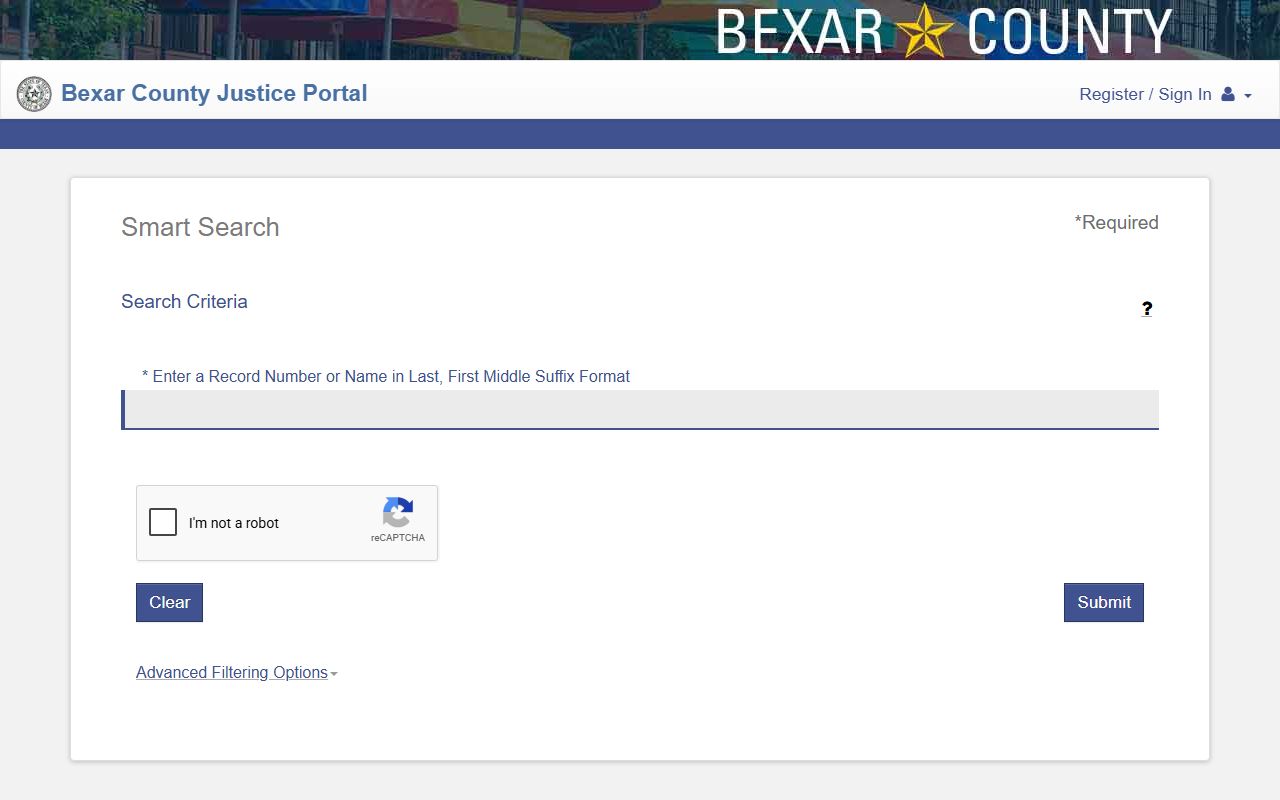
Smart Search is where most Bexar County court records lookups begin. It returns up to 200 results per search.
Bexar County Court Records Search Fields
Smart Search offers a basic box and an advanced panel. The basic box takes a name or a case number. The advanced panel adds filters for case data and party data. The table below lists the main fields from the county's portal guide.
| Field Label | Type | Required | Notes / Format |
|---|---|---|---|
| Record Number or Name | Text | Yes | Name in Last, First Middle order; or a case number. |
| Last Name | Text | In name mode | Wildcard needs three characters plus an asterisk. |
| First Name | Text | In name mode | Wildcard needs one character plus an asterisk. |
| Filter by Case Type | Dropdown | No | Narrows a case-number search. |
| Filter by Case Status | Dropdown | No | Narrows by open or closed status. |
| File Date Start / End | Date | No | Limits results to a filing date range. |
| Judicial Officer | Dropdown | No | Filters by the assigned judge. |
Default result columns include Case Number, Defendant, Type, Party Name, and Party Type. Only six columns can show at one time.
Types of Bexar County Court Records
The court and the clerk decide where each record lives. District courts make felony and civil district files. County courts at law make misdemeanor and county civil files. Probate courts handle estates. The County Clerk also keeps land and marriage records that are not court cases.
The list below sums up the main court record types in Bexar County.
- Civil district records - petitions, motions, orders, and judgments from district court.
- Criminal felony records - indictments, pleas, judgments, and sentencing through the District Clerk.
- Family records - divorce, custody, support, paternity, and adoption matters.
- Misdemeanor records - Class A and B cases through the County Clerk.
- Probate records - wills, estates, guardianships, and trusts in the probate courts.
Family files like divorce are filed in district court. See the marriage and divorce records page for the steps and fees.
A few record types are not open like ordinary cases. Juvenile district court files are confidential. Adoption files are highly restricted. Mental health commitment matters under Probate Court No. 1 hold medical data and stay sealed. Treat these as closed unless a statute, rule, or court order grants access.
What Bexar County Court Records Show
A case record carries a standard set of fields. The Justice Portal shows them in the case summary. The inventory below lists the fields you will see most and what each one means.
| Field | What It Shows |
|---|---|
| Case Number | The unique ID for the case. |
| Filing Date | The date the case was filed. |
| Parties | Defendant, plaintiff, petitioner, respondent, or company. |
| Party Type | The role each name plays in the case. |
| Charges or Cause | The criminal charge or the civil cause of action. |
| Hearings and Events | Court actions in reverse order, newest first. |
| Disposition | How the case ended. |
Some data is redacted. Social Security numbers, driver data, juvenile information, and sealed records are held back under Texas rules.
County Clerk Official Records Search
The County Clerk runs a separate free database for official records. It covers land records, marriage, assumed names, plats, foreclosures, and the Spanish Archives. You can search the index and view documents online. Uncertified copies print directly from the site.
The search lets you pick a department, enter a search term, and set a recorded-date range. A scope option searches the index only or the index plus full text. The screenshot below is the County Clerk Official Records Search.
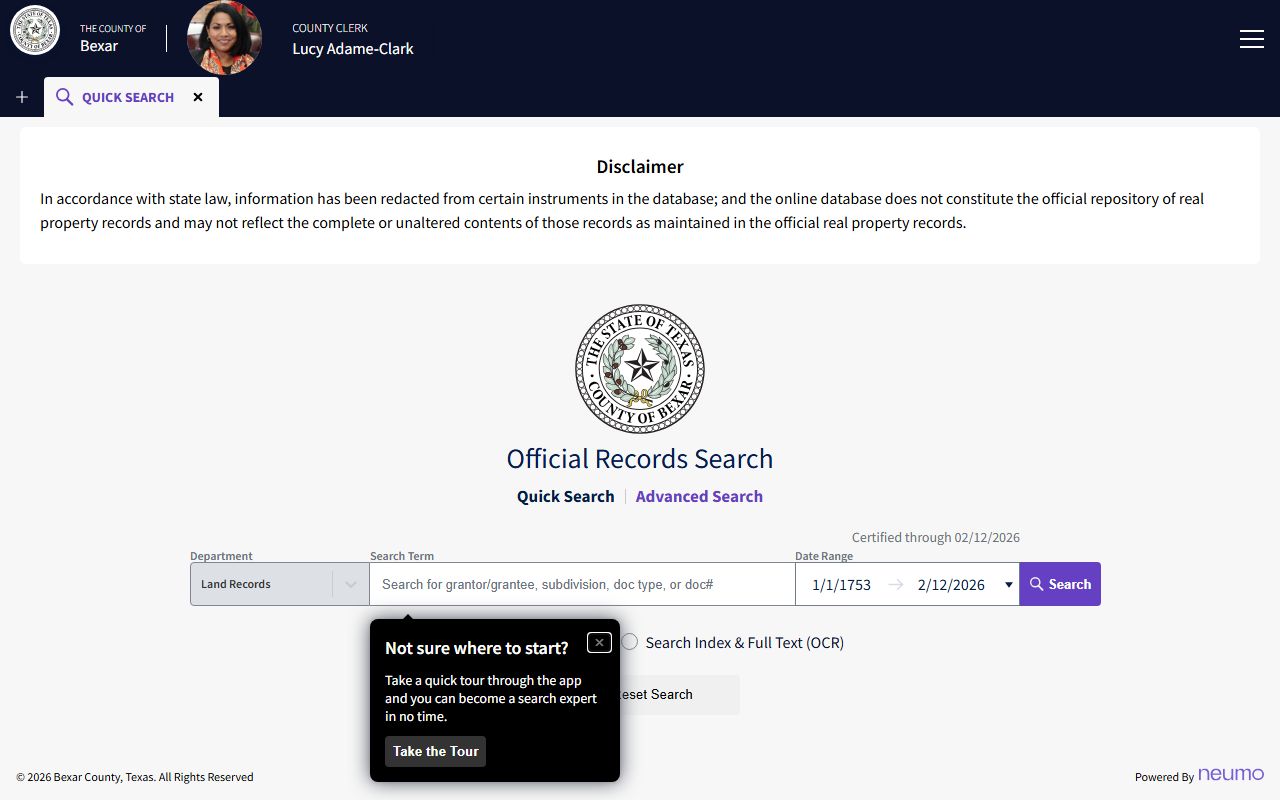
This database is best for deeds, liens, and marriage records. It does not return felony or civil court case files; those live in the Justice Portal.
Document type codes in the official records site include DEED, DT for deed of trust, LIEN, MARRIAGE, PROBATE, WILL, FORECLOSURE, and the Spanish Archives categories. The county notes the hosted service is provided on an as-is basis, so users should rely on certified records when accuracy matters. The marriage index reaches back to 1837, which makes it a strong tool for genealogy and old land research.
Public Access Framework for Bexar County Court Records
Texas splits government records from court records. The Public Information Act in Government Code Chapter 552 covers county administrative records. Court case files follow judicial rules instead. Texas Rule of Judicial Administration 12 governs judicial records, while Government Code § 552.021 gives the basic right to inspect public information.
Anyone can request most court records. You may need a case number and a small fee. Certified copies cost more than plain copies. The clerk cannot give legal advice, only records.
Note: A public information request to county administration is not the same as a court-record request to the District Clerk or County Clerk.
Records That Are Sealed or Confidential in Bexar County
Some files are closed by law. Juvenile cases, adoption files, and mental health commitments are restricted. Sealed civil records follow Texas Rule of Civil Procedure 76a. Expunged records are removed under Chapter 55 of the Code of Criminal Procedure. Nondisclosure orders under Government Code Chapter 411 limit public release.
To view a sealed file, a person usually files a motion in the court that sealed it and shows legal grounds. The Texas State Law Library guide explains expunction and nondisclosure in plain terms.
In-Person Court Record Requests
You can request records in person at the clerk's counter. Bring a case number and a photo ID. The District Clerk handles civil district and felony records. The records page below shows what the office keeps and how to reach it.
Bexar County District Clerk
Paul Elizondo Tower
101 W. Nueva St.
San Antonio, TX 78205
Civil 210-335-2661 / Criminal 210-335-2591
Mon-Fri 8:00 AM-5:00 PM
The District Clerk's records page states the office is the custodian for civil district court records and felony criminal records.
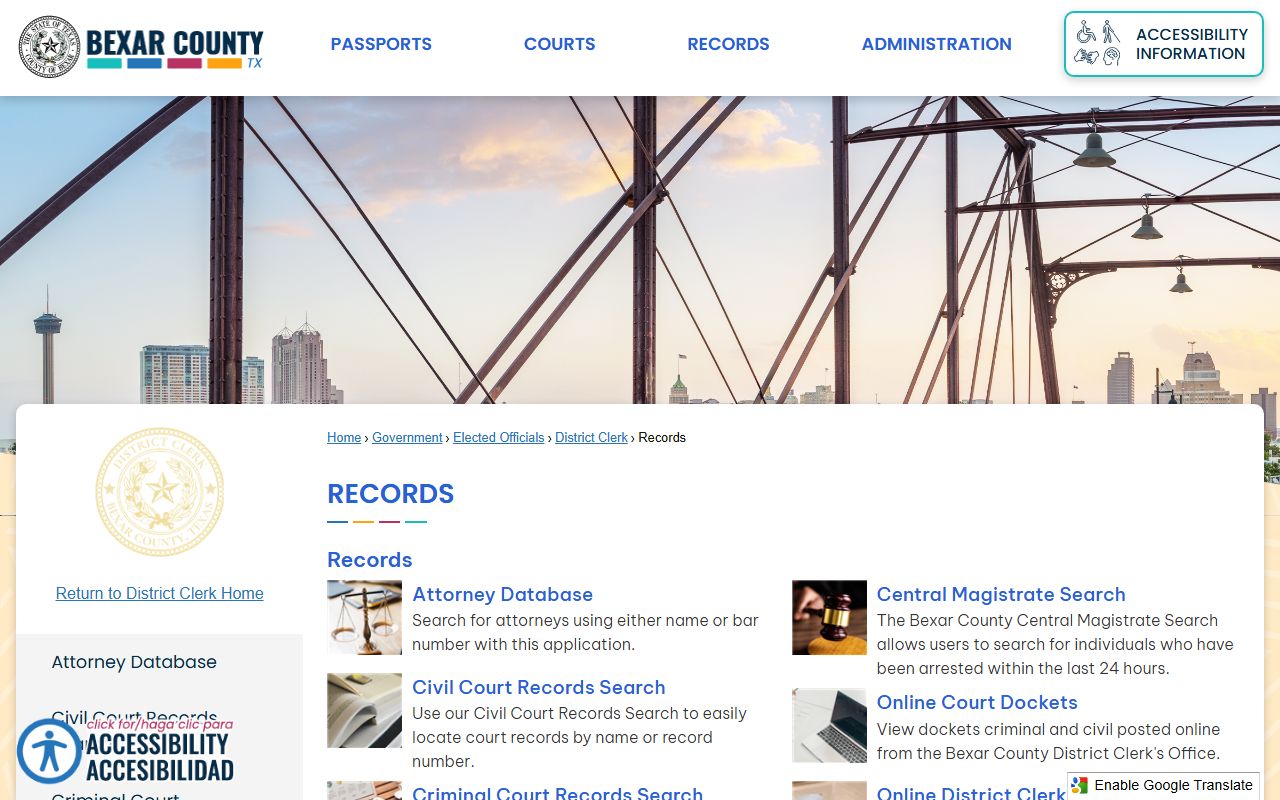
For copies, the page directs people to the civil or criminal counter by phone. The District Clerk does not take personal checks.
How to Read Bexar County Court Records Results
A search can return a long list. The portal caps it at 200 results. If you see too many, add filters. Case type, case status, file date range, and judicial officer all narrow the set. You can also switch to a business-name search or use the Sounds Like option for tricky spellings.
Click a case number to open the full case summary in a new window. The summary lists parties, charges or causes, and a running log of hearings and events. Those events sort newest first. Only 50 events load at first, so use Show More or Show All to see the rest. You can choose which columns display, but no more than six show at once. A printer icon prints the page.
Read the disposition line with care. It carries the result. An open case has no final disposition yet. A closed case shows how it ended, such as dismissed, convicted, or released on bond. If a name is common, confirm the date of birth or case number before you assume two records belong to the same person.
Certified Copies vs Online Copies
Online copies and certified copies are not the same. An online or plain copy is fine for a quick read. A certified copy carries the clerk's seal and is the version courts and agencies accept. The County Clerk lets you print uncertified copies from the official records site for free. Certified copies must be ordered from the clerk and paid for.
| Point | Online / Plain Copy | Certified Copy |
|---|---|---|
| Source | Justice Portal or official records site | District Clerk or County Clerk counter |
| Legal weight | Reference only | Accepted in court and by agencies |
| Cost | Free to view; $1.00 per printed page | $5.00 per document plus copy fee |
| Seal | None | Clerk's official seal |
If you only need to read a file, the online tools are enough. If you need proof for a name change, a passport, or another court, order the certified copy. The District Clerk page lists the steps to request one.